BOOK A DEMO

TRADING TECHNOLOGY FOR YOUR BRAND

Launch your platform under your own brand in 2 business days*

CRM, WebTrader, and website, fully connected and configured for your operation — with one technology partner behind it all.

BOOK A DEMO

* Delivery times are subject to conditions. Two business days for a full brand, and from as little as four hours for the CRM on its own, once the required assets and details have been provided. Timelines for connecting a third-party platform depend on the provider.

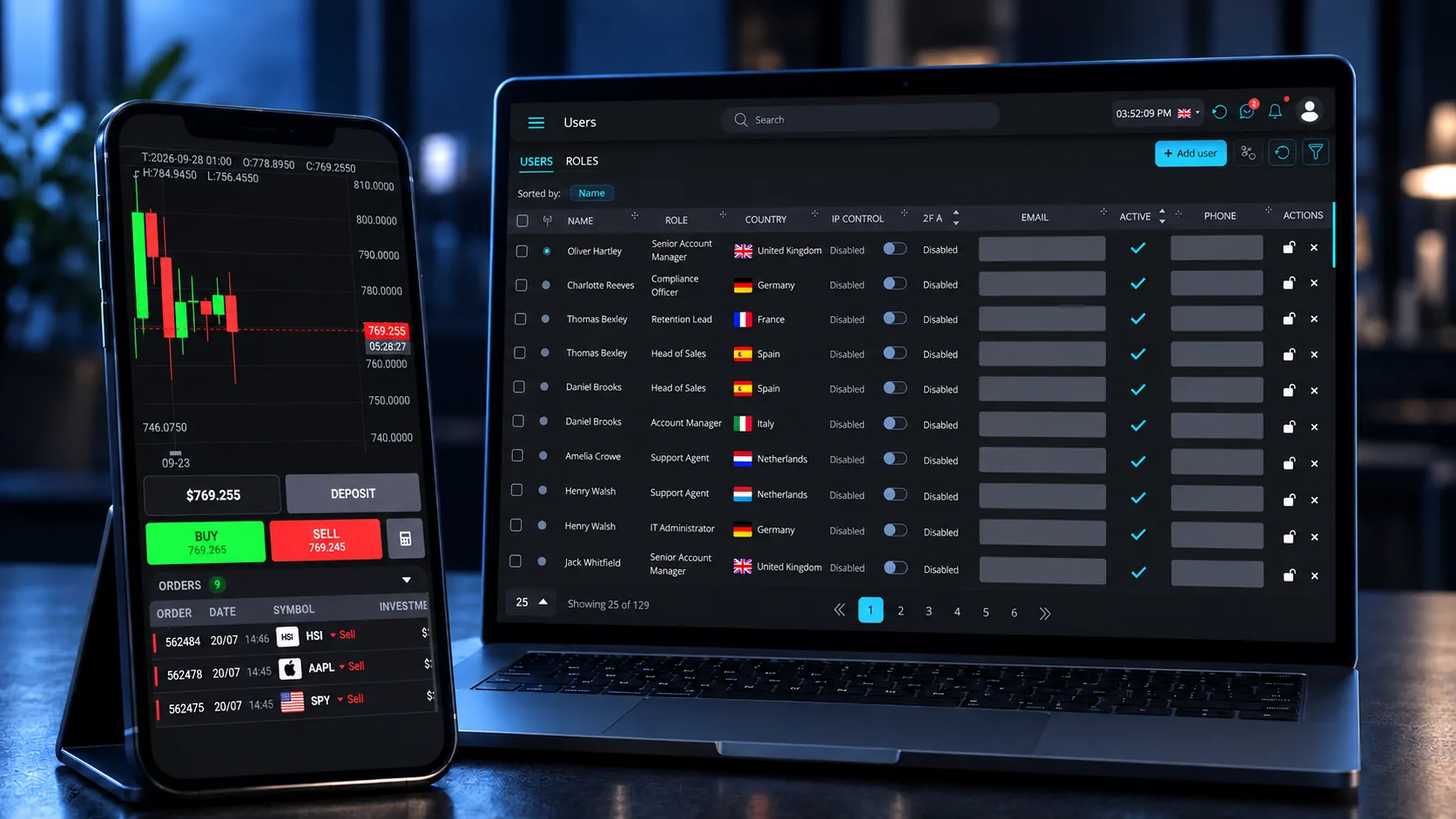
Pentview on a phone and a laptop: the WebTrader chart and orders on the phone, the CRM users list on the laptop
BRAND SETUP
2 business days*
USERS AND ACCOUNTS
Unlimited
SETUP COST
One, agreed up front
SUPPORT
Included

I. THE PLATFORM

One platform. Three systems. Built to work together

All the essential tools, already integrated. The CRM and the WebTrader share a single client record, and updates in either are reflected in the other in real time.

Money in, money out, and every movement between a client's own accounts: recorded once, and seen from both sides — your manager in the back office, your client in their dashboard.

It all runs on our cloud: you buy no servers and maintain none.

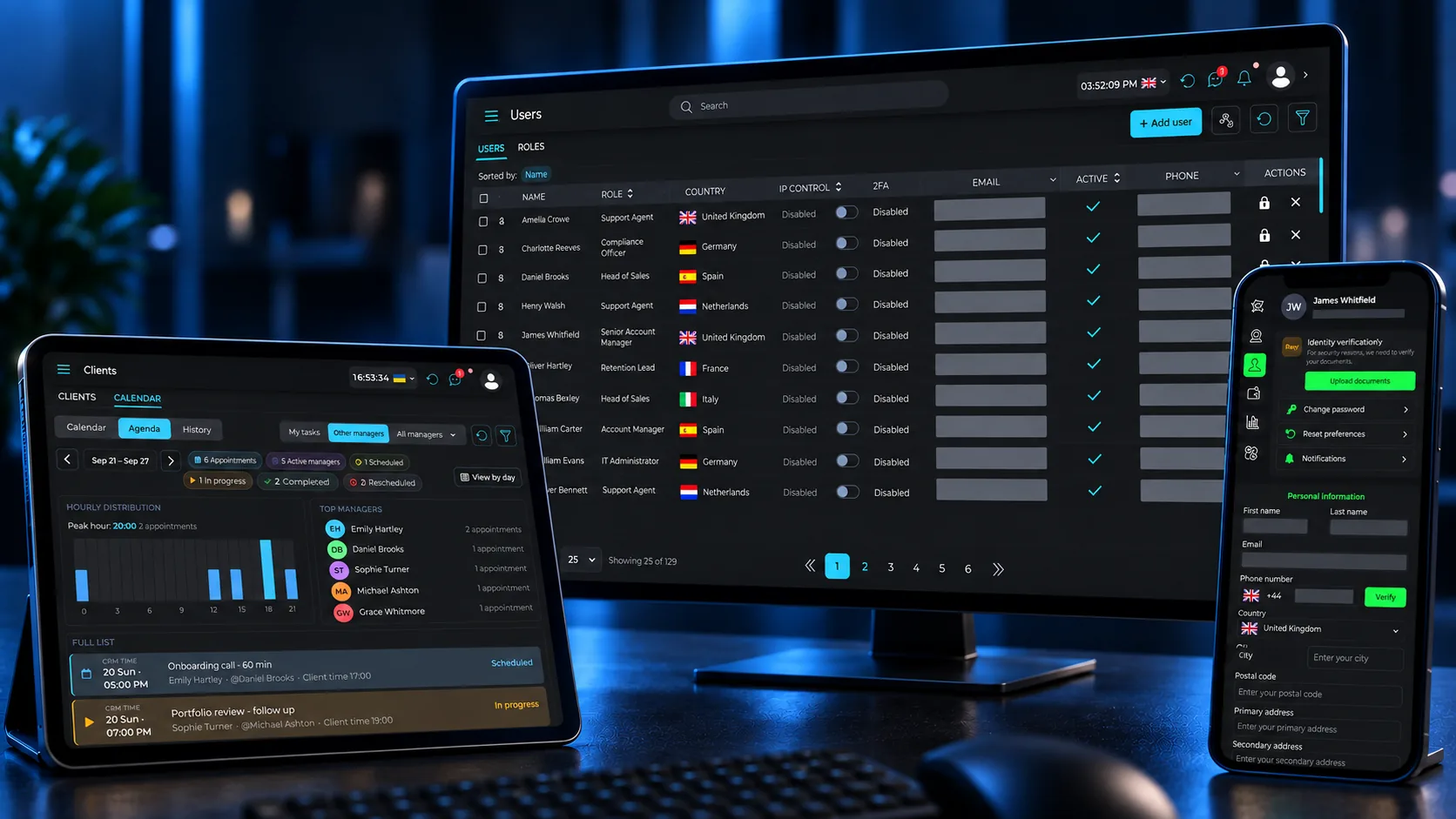
Pentview on three devices: the users list on a monitor, the client calendar on a tablet and the client profile on a phone

WHERE THE WHOLE CLIENT HISTORY LIVES

CRM

Clients, teams, permissions and the whole history on one record.

Call, email or message a client straight from the list. Affiliates get their own restricted access: they send leads through an API and follow each lead's status and FTDs, without seeing your team's notes, your call history or the rest of your clients.

LIVE TRADING UNDER YOUR BRAND

WebTrader

A trading terminal that carries your brand, on desktop and phone.

Eight chart timeframes, fourteen drawing tools and six markets, in 29 interface languages — opened from the browser with nothing to install.

WHERE THEY FIND YOU

Website

Your public site, with your brand, your content and your domain.

Anyone who registers there lands straight in the CRM, so nobody re-types anything.

II. HOW WE WORK

Two business days, and you know what happens in each one

  1. DAY 0 · PREPARATION

    You prepare the assets

    Send your logo specifications, domain, and team structure in a single checklist.

  2. DAY 1 · CONFIGURATION

    We build your environment

    We set up your brand, roles and integrations, and check access before handing over.

  3. DAY 2 · LAUNCH

    Your team takes over

    We train your agents and you go live, with our support in your chat.

Your brand could be live by the end of the week.*

START YOUR 2-DAY SETUP

III. WHO IT IS FOR

Three ways to start, and you can move between them

A COMPLETE BRAND

For operators launching a brand of their own

You need a trading platform, a CRM, a website, and most vendors sell you only one of them.

Pentview delivers all three under one agreement. From launch day, every lead from your site is already in the CRM, and your clients trade on a WebTrader with your logo. Nothing needs connecting, because it was never separate.

One agreement instead of five. Live in 2 business days.*

THE CRM ON ITS OWN

For teams that only need to manage leads

Your team works leads by phone and message, and the record lives in spreadsheets and in people's heads.

The CRM gives them one place to work, with your own sales stages and every lead assigned to a manager. Nothing depends on someone's memory or a spreadsheet anymore.

Running in as little as four hours* — and when you add the WebTrader and your brand, your clients are already there.

YOUR CRM, YOUR PLATFORM

For brokers already running on another trading platform

Your clients already trade on a platform you chose, and changing it is not on the table.

Pentview provides the CRM and connects it to the trading platform you already use — Match-Trader and other providers — as we already do with our partners. Accounts, deposits and client activity flow into one record, so your team works leads and clients without switching systems.

Keep the platform you trust. Add the CRM your team needs.

IV. WHY PENTVIEW

Assembled by you, or delivered as one**

** Nothing below is a claim about another provider. It is a comparison with what you would otherwise have to put together yourself.

PENTVIEWASSEMBLED FROM PARTS
Unlimited users and client accountsPer-seat and per-account pricing
Several trading accounts per client, one walletA separate account, and a spreadsheet to reconcile them
Complete client historyA report requested from the tech team
Two-way client messaging from the CRMTrading platform, CRM, gateways and website
Multi-manager campaignsManaged separately
AI-powered comment classificationIntegration projects with no clear end date
See clients and team online in real timePaid add-on or custom development
One setup cost, agreed up frontIntegration work you pay for, vendor by vendor

V. WHAT ELSE WE OFFER

The services around the software

Your platform is live, and your first agent starts on Monday. Getting the platform live is one thing. Getting your team ready to work is another.

Every service below sits inside the same platform agreement, with one team accountable for all of it.

  • Round-the-clock monitoring. When something stops working we start looking for the cause straight away — there is no queue to wait in first.

  • Leads reach your CRM from four sources: your website, bulk or manual upload, an external API, and registration in the WebTrader. The first three arrive attributed to their campaign and assigned to a manager.

  • A campaign is where the economics live: acquisition cost, minimum deposit, account type, blocked countries and the manager who receives the leads.

  • Sessions and materials that teach your team to run the platform — the CRM, the WebTrader and the back office — so they are working on day one.

  • Hardware, phone systems and software for a new office.

THE PRODUCT

Automatic where it should be automatic

Assigning leads and counting appointments are the kind of tasks that quietly eat a manager’s week. Both happen on their own here: campaign traffic distributes across the managers you choose, and appointment activity comes back measured by status, hour and team member.

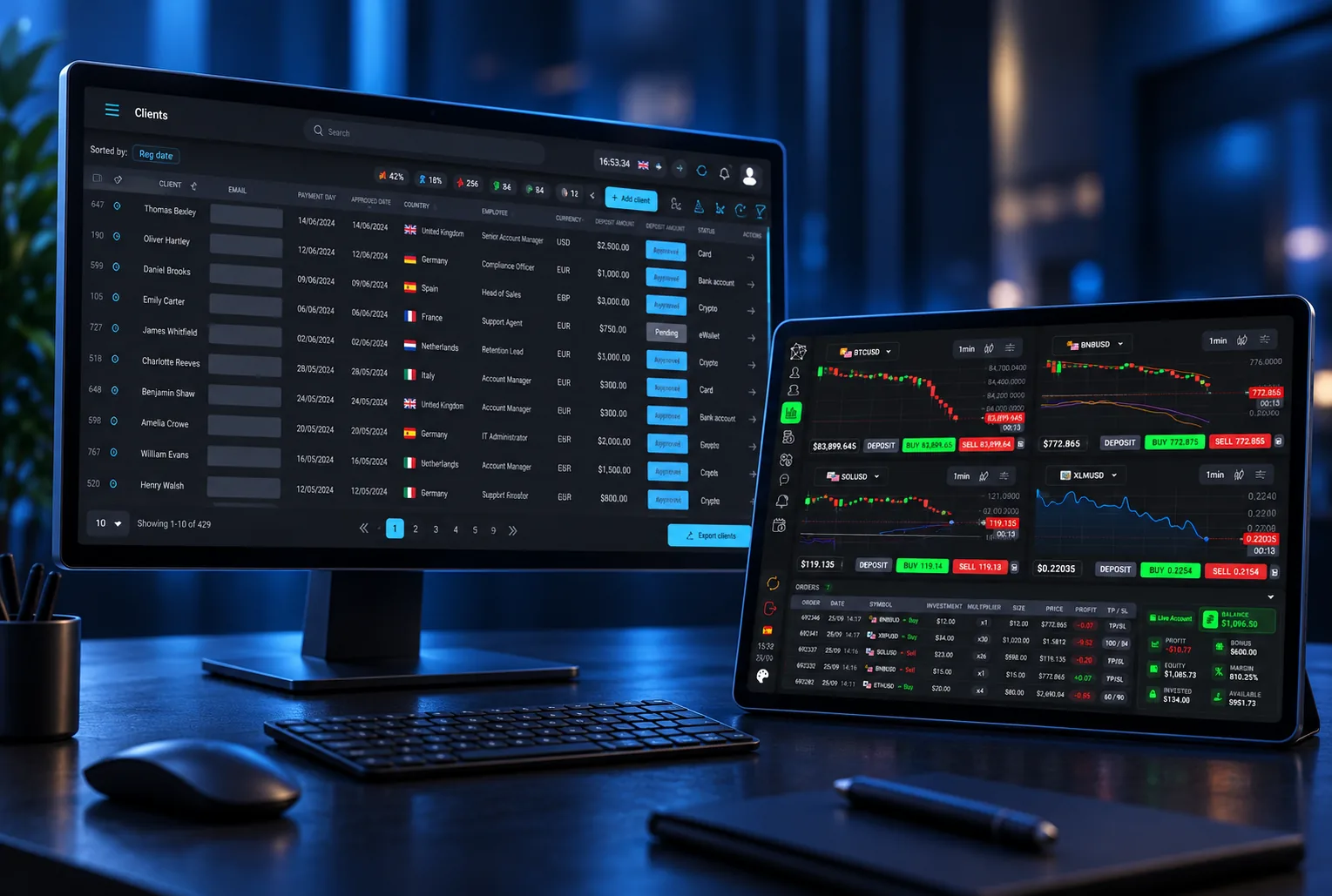
The Pentview CRM client list on a monitor beside the WebTrader on a tablet
Dashboard — the client list with its filters on the desk, and the WebTrader beside it.

VI. WEBTRADER

Your brand, on every screen your client uses

Live prices on every order ticket, and positions that update as the market moves.

The Pentview WebTrader with live prices moving on the chart and the open orders updating
Recorded in real time: prices tick, positions and balance update with them.

DASHBOARD

All their accounts, with the wallet that funds them.

Deposits, transfers and trading in one place.

YOUR IDENTITY, NOT OURS

Your colours, in light, dark or automatic mode.

No development needed. Your clients never see our name.

MARKET ANALYSIS

Charts from one minute to one month, in one view.

Built-in indicators and drawing tools included.

LANGUAGE AND TIMEZONE BY CLIENT

Each client works in their own language and time zone.

Every market you work in is covered, right-to-left languages included.


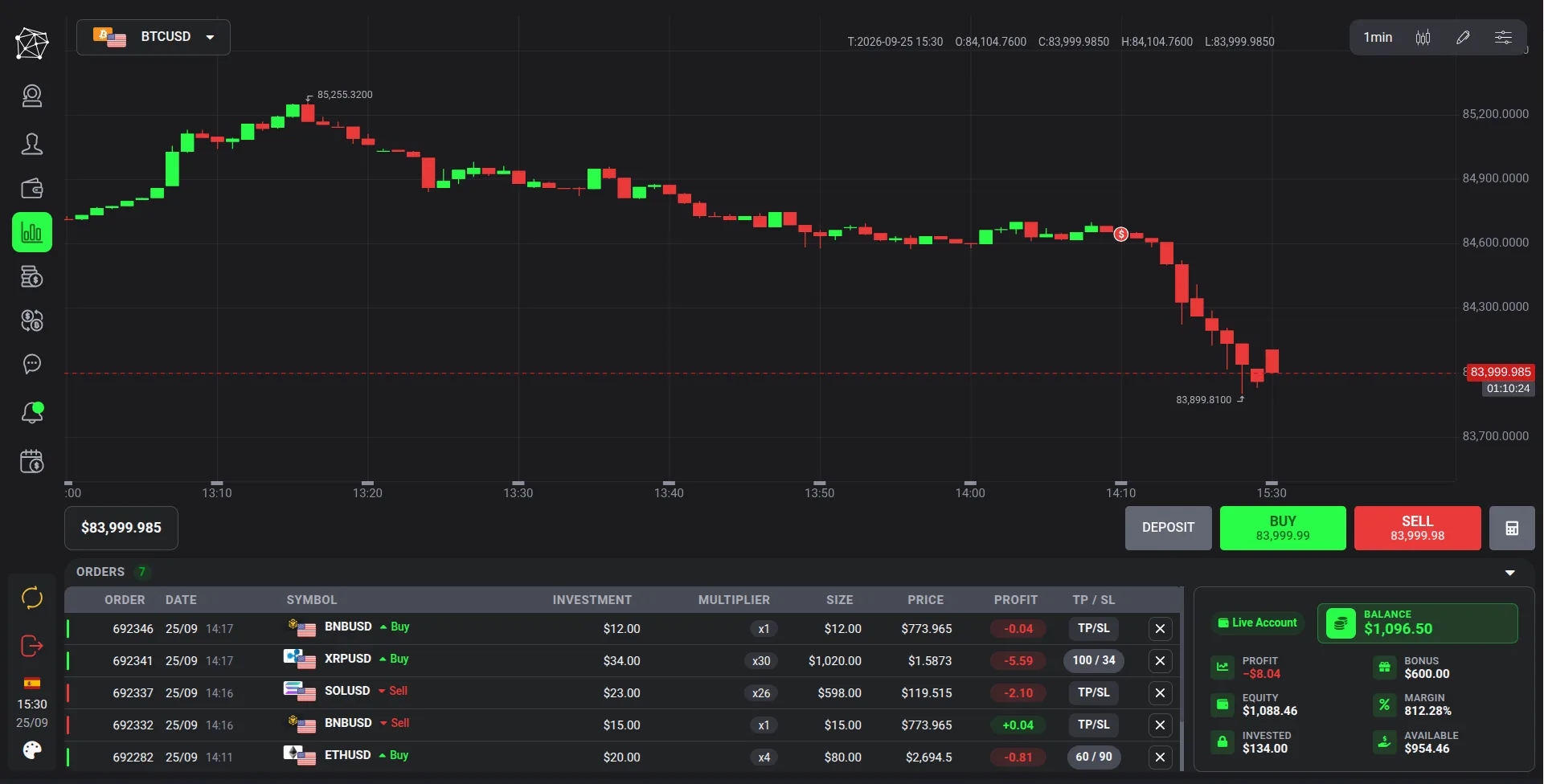
The Pentview WebTrader: a candlestick chart with the buy and sell ticket and the account panel
Chart, ticket and balance on one screen

Six markets: forex, ETFs, crypto, stocks, indices and commodities.

See it running under your brand.

SEE IT LIVE

VII. CRM

Everything your team manages every day

A client disputes a payment from four months ago and the manager who handled him left in March. Somebody has to reconstruct what happened. In most setups that means three systems and an afternoon.

THE MAIN SCREEN

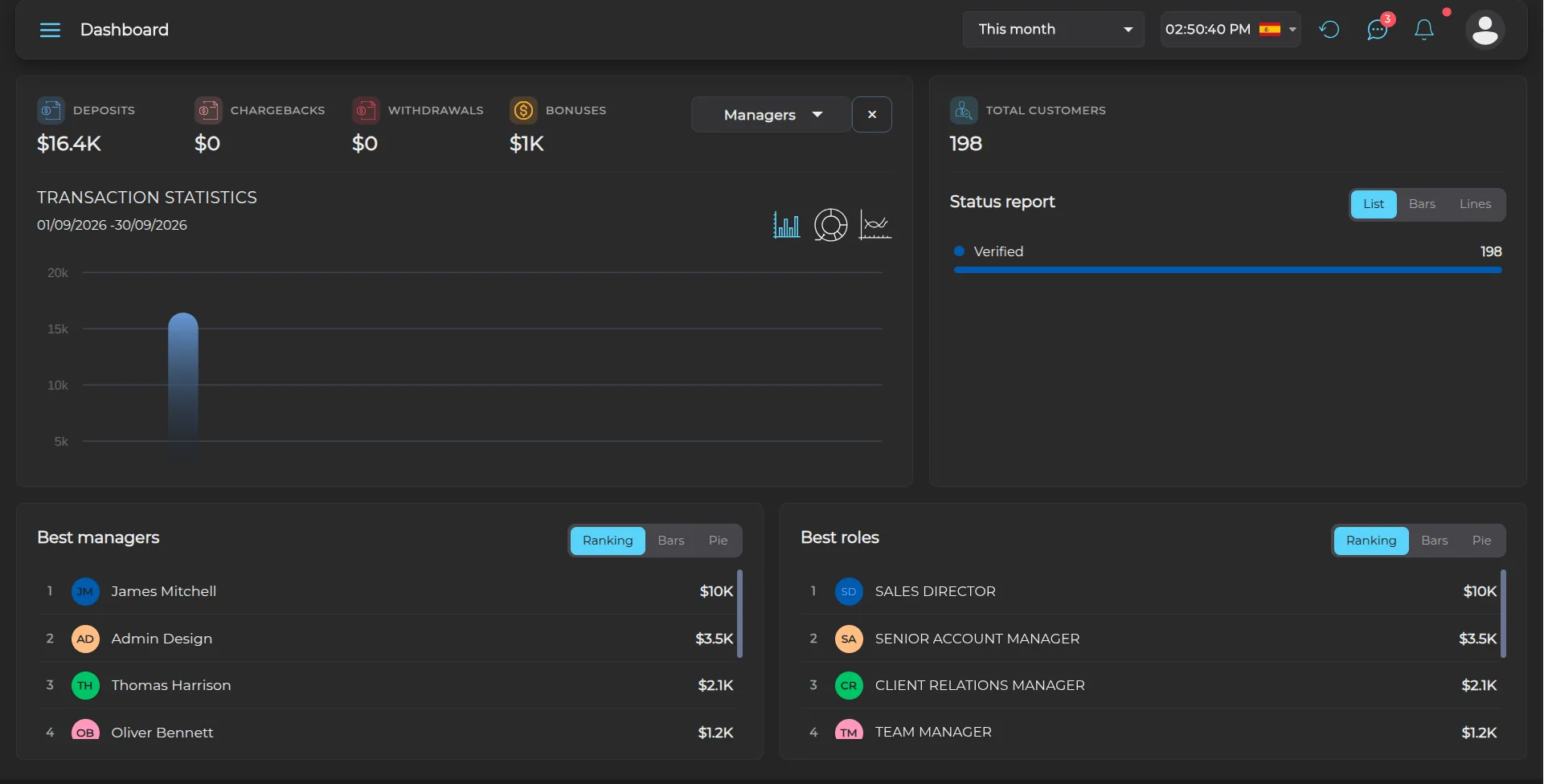
The Pentview CRM dashboard: deposits, chargebacks, withdrawals and bonuses for the period, transaction statistics, the status report, and the best managers and roles
  1. 01 Deposits, chargebacks, withdrawals and bonuses for the period selected at the top right.
  2. 02 Transaction statistics for the same period, as bars, a doughnut or a line.
  3. 03 The status report: how many clients sit in each of your own lead states.
  4. 04 Best managers and best roles, ranked from the same figures — no separate report.

YOUR STRUCTURE, YOUR PERMISSIONS

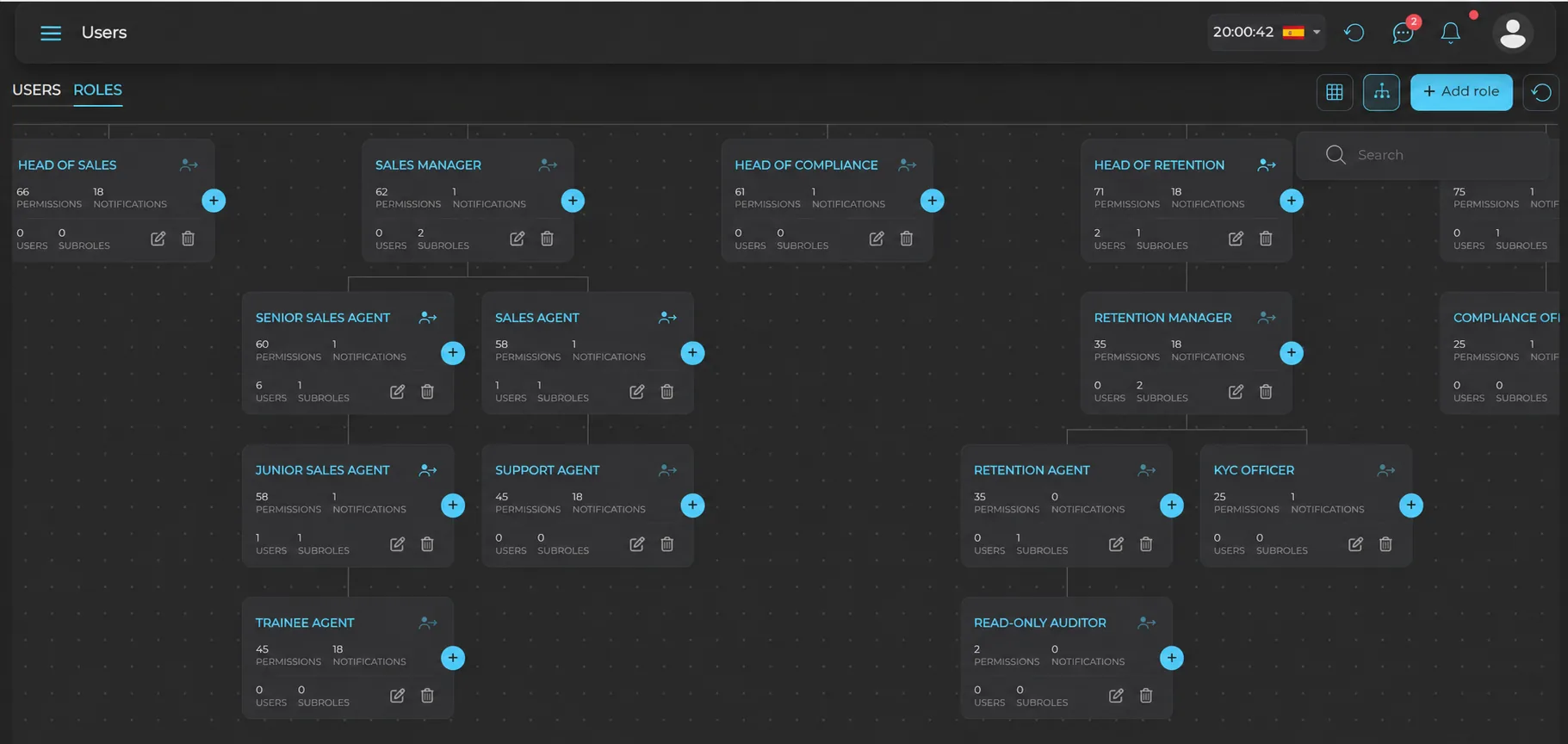
Your offices, teams and managers mapped exactly as they are today, each with their own permissions.

Every role and sub-role laid out the way your company is actually shaped: each team sees what belongs to it.

BACK OFFICE

Every trading account your clients hold, live and demo, with its balance and its group.

Create trading groups with their own conditions and offer your clients the option to transfer funds between their own accounts.

SEE WHERE EVERY LEAD STANDS

Up to 50 lead states of your own, renamed whenever your process changes.

Each lead stays linked to the campaign it came from, so you can compare the quality of your acquisition sources inside the CRM.

VIII. CONTROLS

Four independent controls per client

Every change to a client, a campaign or a permission is written to an audit log covering over 100 types of action, and nobody edits it by hand.

CLIENT CONTROLS

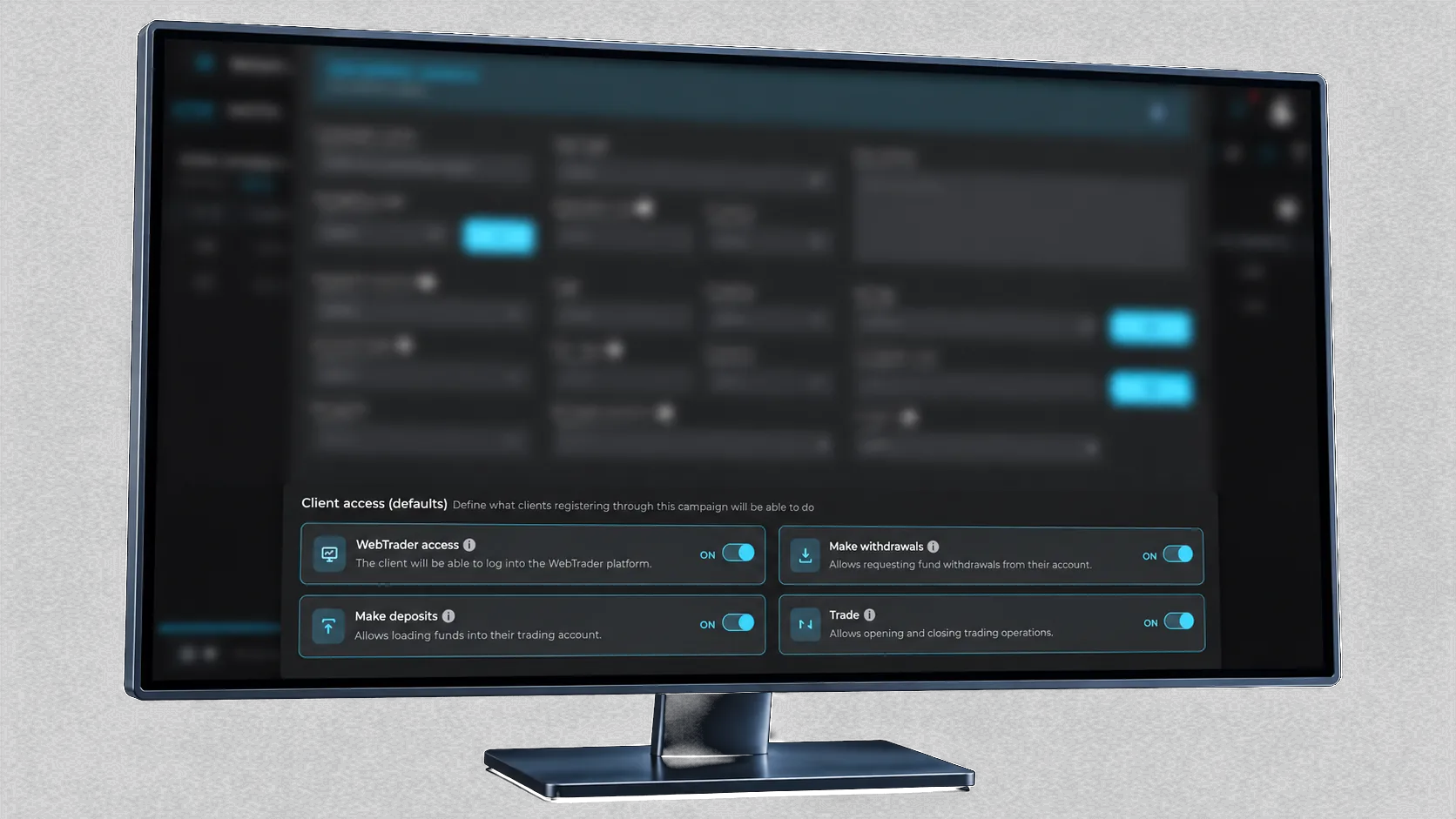
Platform access, trading, deposits and withdrawals — four independent permissions on every client.

Set them when the client is created, from the record, or in bulk. They work independently: a client under review can keep trading with withdrawals frozen, instead of being locked out of everything while the question is resolved.

CAMPAIGN DEFAULTS

Set the permissions on a campaign and they lock.

Once the campaign exists, nobody changes the terms or the access its clients get — not even a profile with every permission granted.

Client access defaults on a campaign in Pentview: WebTrader access, withdrawals, deposits and trading, each switched on
The defaults every client registering through this campaign receives.

IX. SECURITY

Built so that a mistake, a retry or a stolen password does not become an incident

Your team handles other people's money, so the platform treats protecting it as part of the product. Everything runs on secure cloud infrastructure in the European Union, and your data is never left open to the internet. Passwords and provider credentials are stored encrypted, never shared by email or kept where others can read them. Signing in takes more than a password, and any access can be cut off instantly. Every payment is checked before it is recorded, so a dropped connection never charges a client twice.

The roles view in the Pentview back office: an org chart of roles, each with its own permissions, notifications and users
  • EU cloud
  • Encrypted credentials
  • Two-step sign-in
  • No double charges

Questions about security or integrations? Ask the team that built it.

TALK TO OUR TEAM

X. TRIAL

See how it works before you decide

Up to 3 days of access to the CRM and the WebTrader. Our team stays on hand while you look: if something is unclear or does not behave as you expect, you ask and we answer.

A full environment with sample funds, so your team can learn the platform before going live. The trial runs on the current production build.

REQUEST TRIAL ACCESS

Tell us what you are running today and we set it up.

XI. CONTACT

Run your whole operation from one platform

A 30-minute walkthrough of the live platform — the same environment your team would work in, not a slide deck. Ask at the end and you get trial access to keep looking on your own.

Leave your details and our team will get in touch to walk you through the platform.

Phone number

One call, and then the support team that answers every partner. No sales sequence.